Fifteen pages,
one unified experience
Each page is purpose-built for a specific aspect of AI agent orchestration. The tour below highlights nine; Fleet, Control, Eval, Monitor, Executions and Observatory round out the full set.
💬 Chat
Multi-turn conversations with live streaming. Switch between ReAct, LTP, and hybrid execution modes. See every turn, tool call, and decision in real-time. Human-in-the-loop elicitation when the agent needs guidance.
🤖 Multi-Agent Teams
Spawn specialized sub-agents (research, code, QA, creative). Orchestrate them with 5 patterns: sequential pipelines, parallel execution, supervisor delegation, adversarial debate, or adaptive swarm. Or describe the team in plain English and the conversational architect builds the workflow graph for you. Track each agent's decisions live.
🧠 Knowledge Graph
Upload documents and watch entities and relationships appear in a 3D force-directed graph. Three search modes: basic vector similarity, self-RAG (iterative refinement), and ReAct (planning-based retrieval). Click any node to explore connections.
📊 Observability
Watch agent execution unfold in real-time. Execution graph shows the full tool call chain. SSE audit stream logs every decision. Token usage, cost tracking, and latency metrics per task. Full observability, self-hosted — your traces stay on your box, no per-seat SaaS bill.
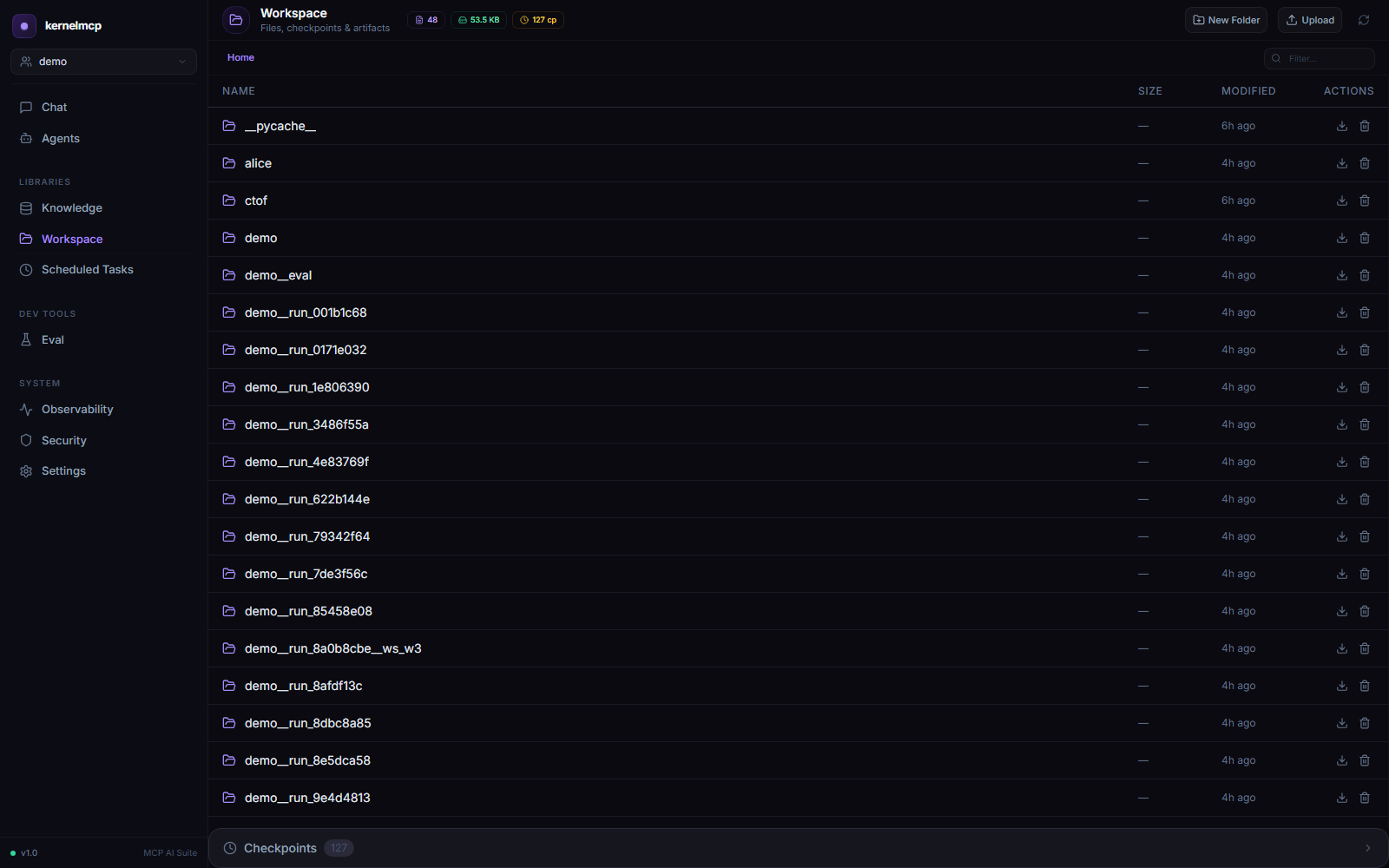
📁 Workspace
Full file management with auto-checkpointing before every mutation. DLP scans redact secrets on read. Approval gates block writes to sensitive paths. Restore any checkpoint instantly. Think Git, but for your agent's files.
⏰ Scheduler
Schedule agents to run on cron, intervals, or trigger on conditions. Full execution history with retry logic and exponential backoff. Pause, resume, cancel. Webhook notifications on completion or failure.
⚙️ Settings
30+ configuration options with presets for dev, production, and cloud. Hot-reload LLM provider without restart. Configure every infrastructure backend: Redis, Neo4j, Qdrant, Chroma, SQLite. Per-library fine-tuning.
🛡️ Security & Governance
Egress control: whitelist which domains agents can access. Host access gates: approve or deny system commands. Constitution editor: define safety rules that all agents must follow. Multi-tenant isolation built in.
🚀 Deploy as API
Publish any agent or team as a callable HTTP endpoint. One action turns a workflow into POST /deployments/{id}/run with its own bearer token, a live deploy log, token rotation, and per-deployment run metrics — no extra wiring.